
How to dispute a ChexSystems record, and what to do when it comes back "verified."
ChexSystems is the file most banks and credit unions check before they open an account for you. Here is how to read it, dispute it in writing, and push back when a dispute comes back "verified."
ChexSystems is a consumer reporting agency for bank accounts. Instead of loans and credit cards, it tracks checking and savings account applications, openings and closures, and accounts closed for reasons like unpaid overdrafts or "account abuse." Banks and credit unions check it (or a similar file from Early Warning Services) before they open an account. Records can stay on file for up to five years.
Because ChexSystems is covered by the Fair Credit Reporting Act (FCRA), you have the same core rights you have with Equifax, Experian and TransUnion: a free copy of your file, the right to dispute anything inaccurate or incomplete, and a deadline for the answer.
Step 1: Get your free ChexSystems report
You can request one free disclosure every 12 months, plus a free consumer score on request. Use any of the three channels ChexSystems lists:
- Online at chexsystems.com
- By phone at 800-428-9623
- By mail: Chex Systems, Inc., Attn: Consumer Relations, P.O. Box 583399, Minneapolis, MN 55458
Checking your own report does not affect your credit scores. When it arrives, write down every account listed, the bank that reported it, the reason code, the closure date and any amount owed.
Step 2: Dispute in writing, by certified mail
You can dispute online, but a mailed dispute gives you something online forms don't: a dated delivery record that starts the clock. Our method uses certified mail for every dispute.
- Identify each item exactly as it appears: bank name, the last four digits of the account, and the reported reason.
- Say what is wrong and why, in plain sentences. "This account is not mine" and "This balance was paid on [date]" are both clear.
- Attach proof: ID, proof of address, and any statement, receipt or letter that supports what you are saying.
- Keep copies of everything and save the USPS tracking page the day it shows Delivered.
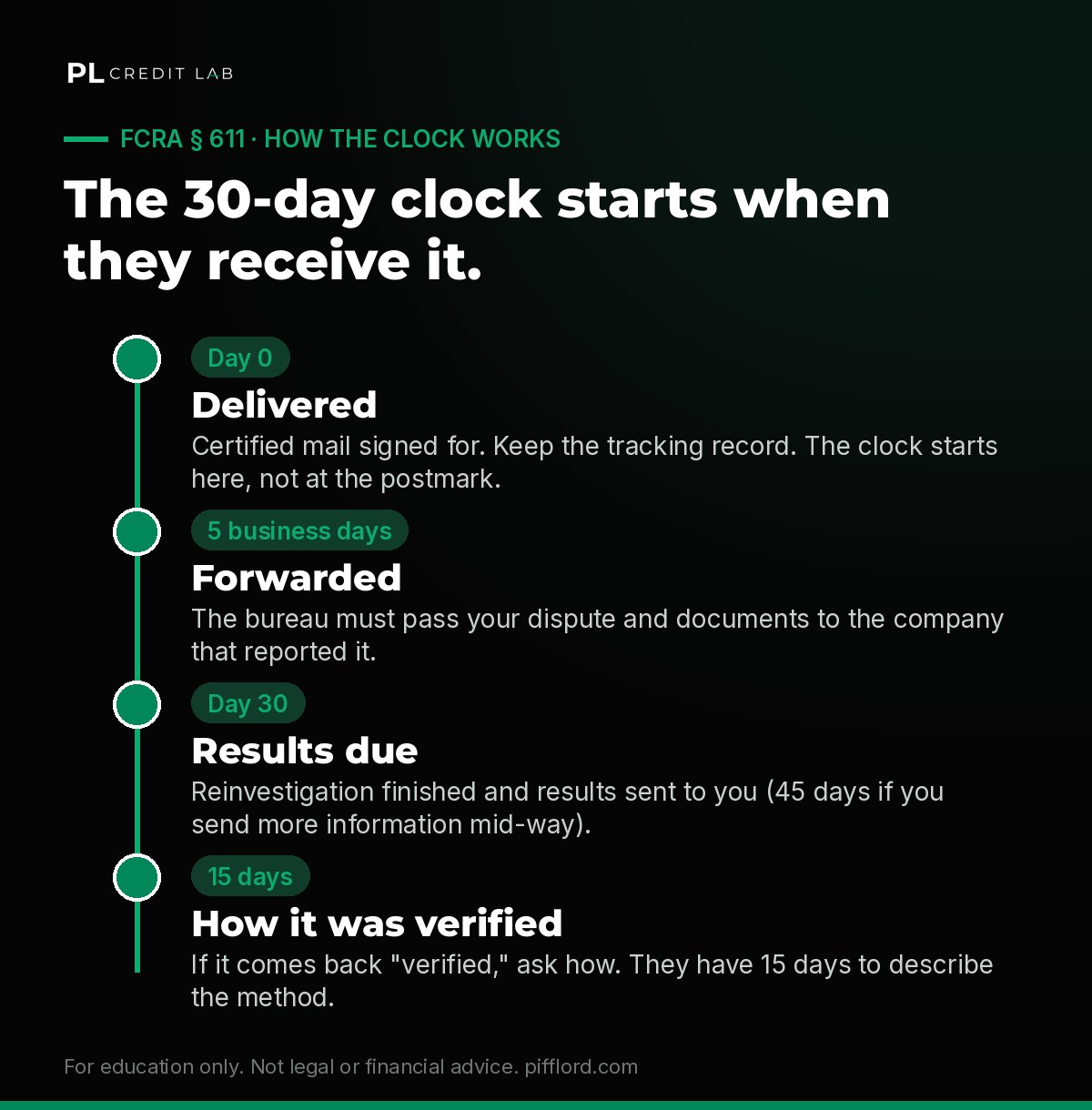
The clock starts on the day ChexSystems receives your dispute, not the day you mail it.
Under FCRA § 611, ChexSystems generally has 30 days from receipt to finish its reinvestigation (up to 45 days if you send more information during that window). It must forward your dispute to the bank that reported the item within five business days, and send you the results in writing.
Step 3: When the result says "verified"
"Verified" means the bank told ChexSystems the information is accurate. It does not mean anyone reviewed an account-opening document with your signature on it. You still have four moves:
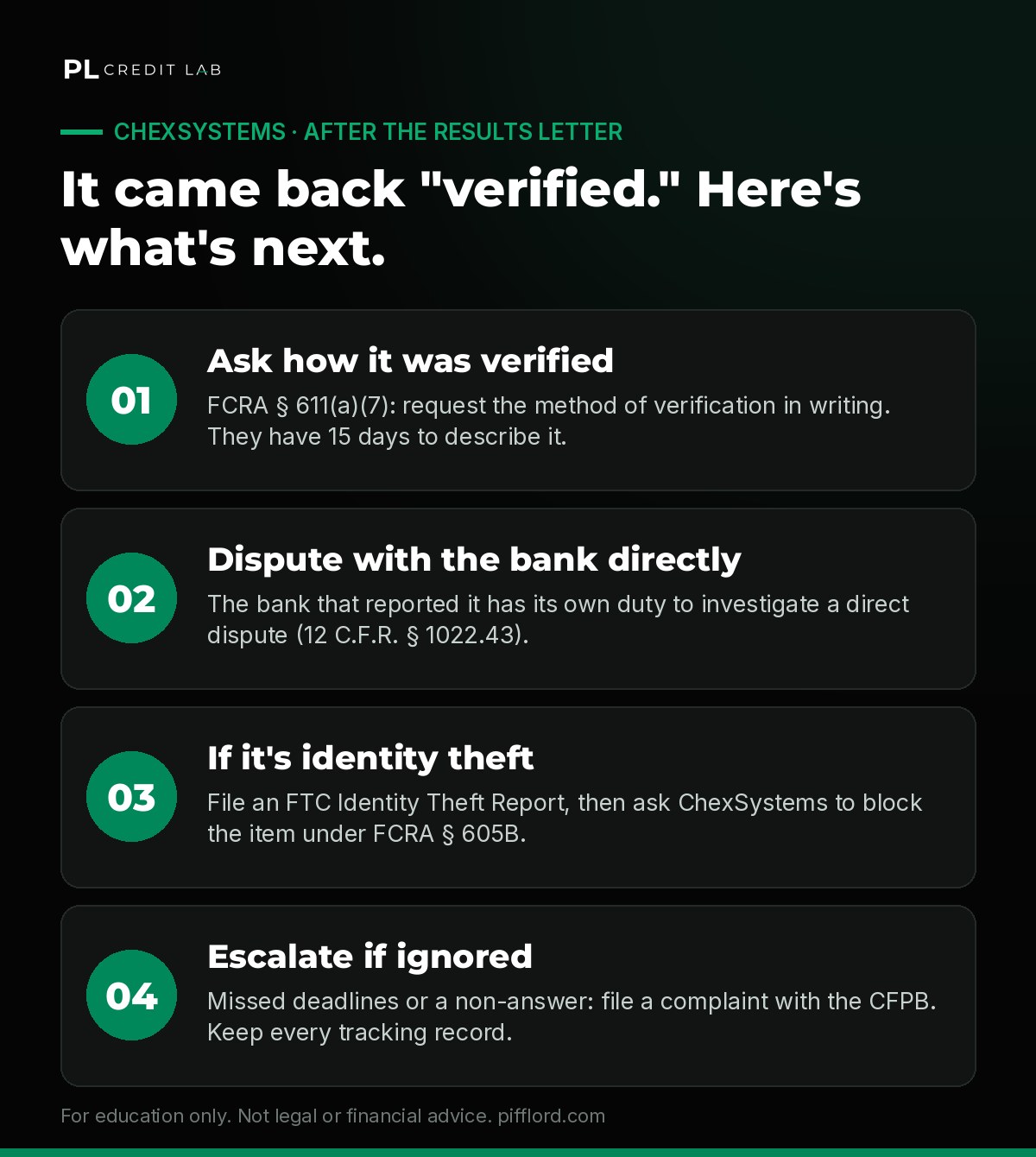
What to do after a "verified" result.
- Ask how it was verified. Under FCRA § 611(a)(7), you can request a description of the procedure used, including the business name, address and phone number of the furnisher it contacted. The agency has 15 days to send it.
- Dispute with the bank directly. The bank that reported the item has its own duty to investigate a dispute sent to its dispute address (12 C.F.R. § 1022.43). Use the address on its website, not a branch.
- If the account is not yours, use the identity theft route. File a report at IdentityTheft.gov, then send ChexSystems a written request to block the item under FCRA § 605B with a copy of the report, your ID and proof of address. Only swear to what is true: an FTC report is an official statement.
- Escalate if deadlines are missed. If an agency or bank ignores you or misses a deadline, you can file a complaint with the CFPB. Keep your tracking records; they are your timeline.
- Don't resend the same dispute with nothing new. An agency can treat a repeat dispute without new information as frivolous.
- Don't pay anyone who promises removal by a date. No one can honestly promise a deletion.
- Don't sign or file a statement that isn't true to get an item removed.
While the record is on file
If a record is accurate, it can still stay for up to five years. In the meantime, look at second-chance checking accounts, and know that some banks screen with Early Warning Services rather than ChexSystems. Our free 8-File Audit shows how to request both.
For educational purposes only. Not legal or financial advice. PL Credit Lab is a brand of PIFFLORD LLC and is not a credit repair organization, law firm or lender. No score, deletion, approval, funding amount or timeline is promised. You can dispute inaccurate information with the credit bureaus yourself at no cost.
Common questions.
How long does ChexSystems keep records?
Up to five years. Accurate information can stay for that period; inaccurate or unverifiable information can be disputed at any time.
Does checking my ChexSystems report hurt my credit?
No. Requesting your own disclosure does not affect your credit scores.
Can I dispute ChexSystems online?
Yes, ChexSystems accepts disputes online, by phone and by mail. We recommend certified mail so you have a dated delivery record and copies of exactly what you sent.
What if the account was opened by someone else?
File an FTC Identity Theft Report at IdentityTheft.gov and ask ChexSystems to block the item under FCRA § 605B. Include the report, your ID and proof of address.
Pull all 8 files lenders read.
The 8-File Audit
Every file banks and lenders read about you, and how to get each one free.
Get the free guideRepair
The full dispute method: letters, the clock, method-of-verification requests and the Repair Gate checklist.
Get Part 1 for $10Your file, checked
Upload your reports and get a one-page snapshot with your next three steps.
Get my free review